Build and maintain the schedule
Create a Gantt plan with dependencies, phase gates and working calendars, starting from a template or a Microsoft Project XML file.
Horizon
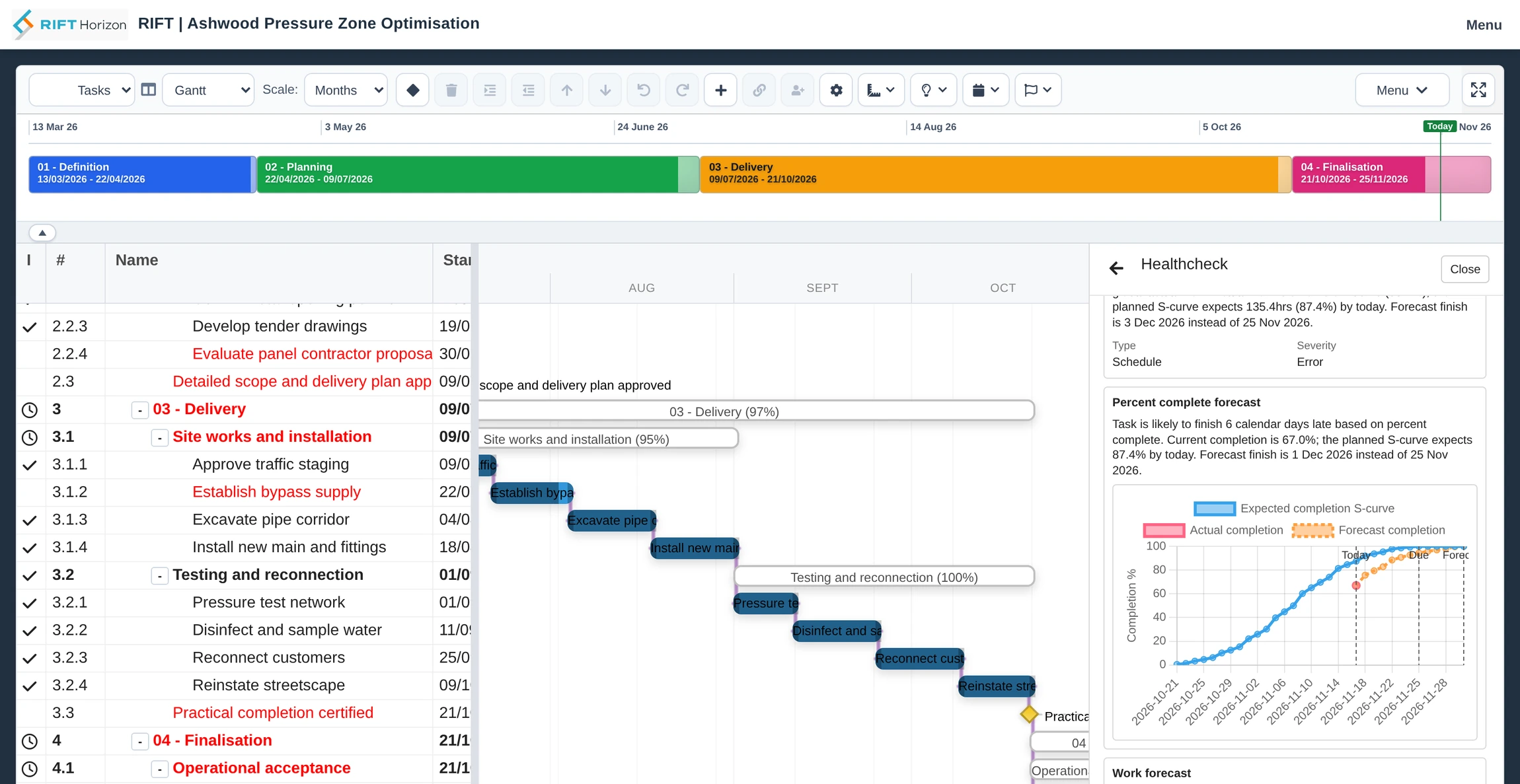
Plan work, link projects and book the people and assets that make delivery possible. Horizon puts forecasts, capacity conflicts and project controls in the schedule, so you can see what needs action while the plan is open.
Give each asset its own availability, capacity and cost rules. See which projects have it booked, where bookings overlap and what that means for the work you are planning.
Explore integrated asset planning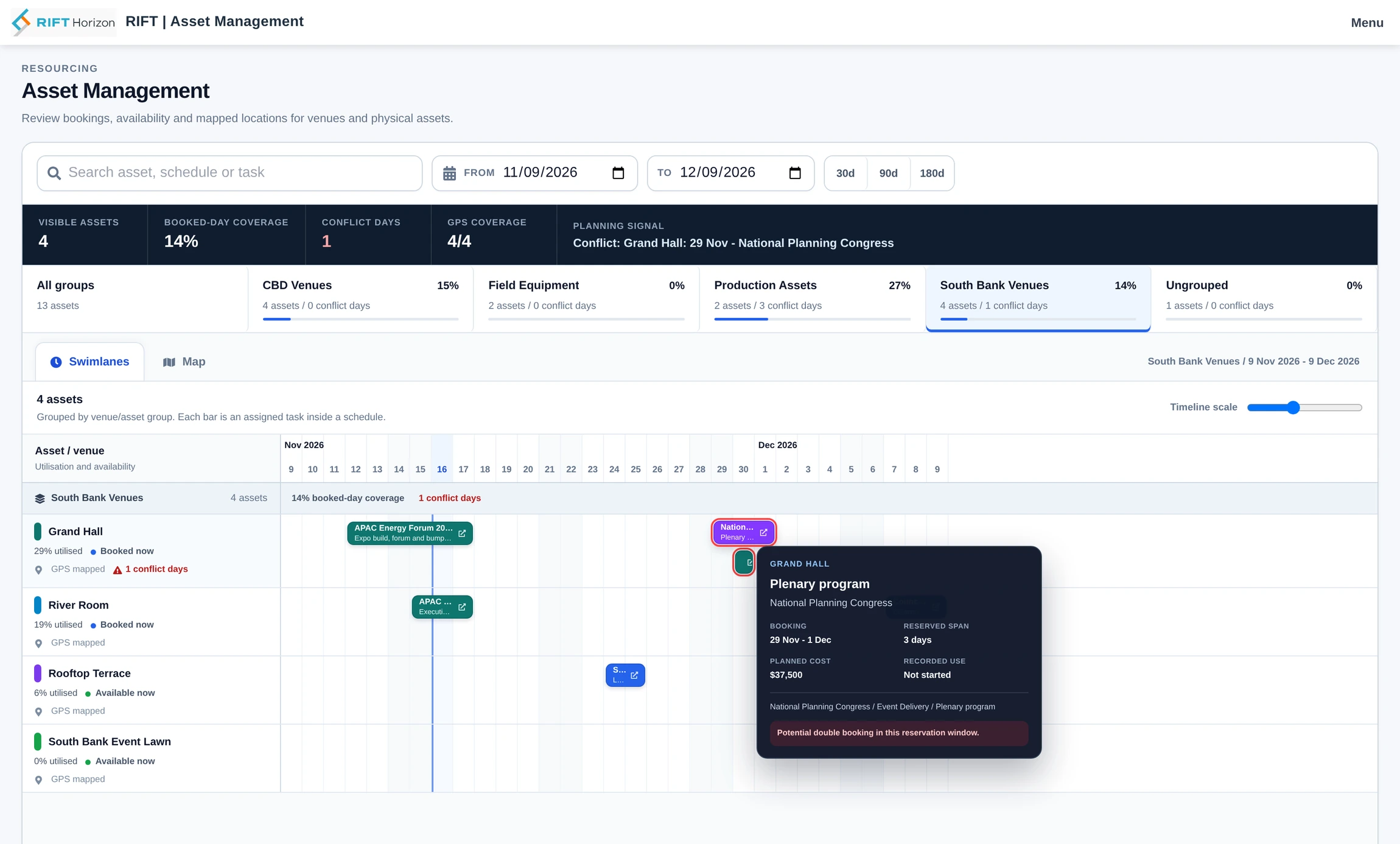
Make a milestone follow another project's finish or use its accepted start and finish dates to represent a linked stream of work. See that project's progress, milestones and date changes from your own schedule, then decide when to accept an update.
Explore linked projects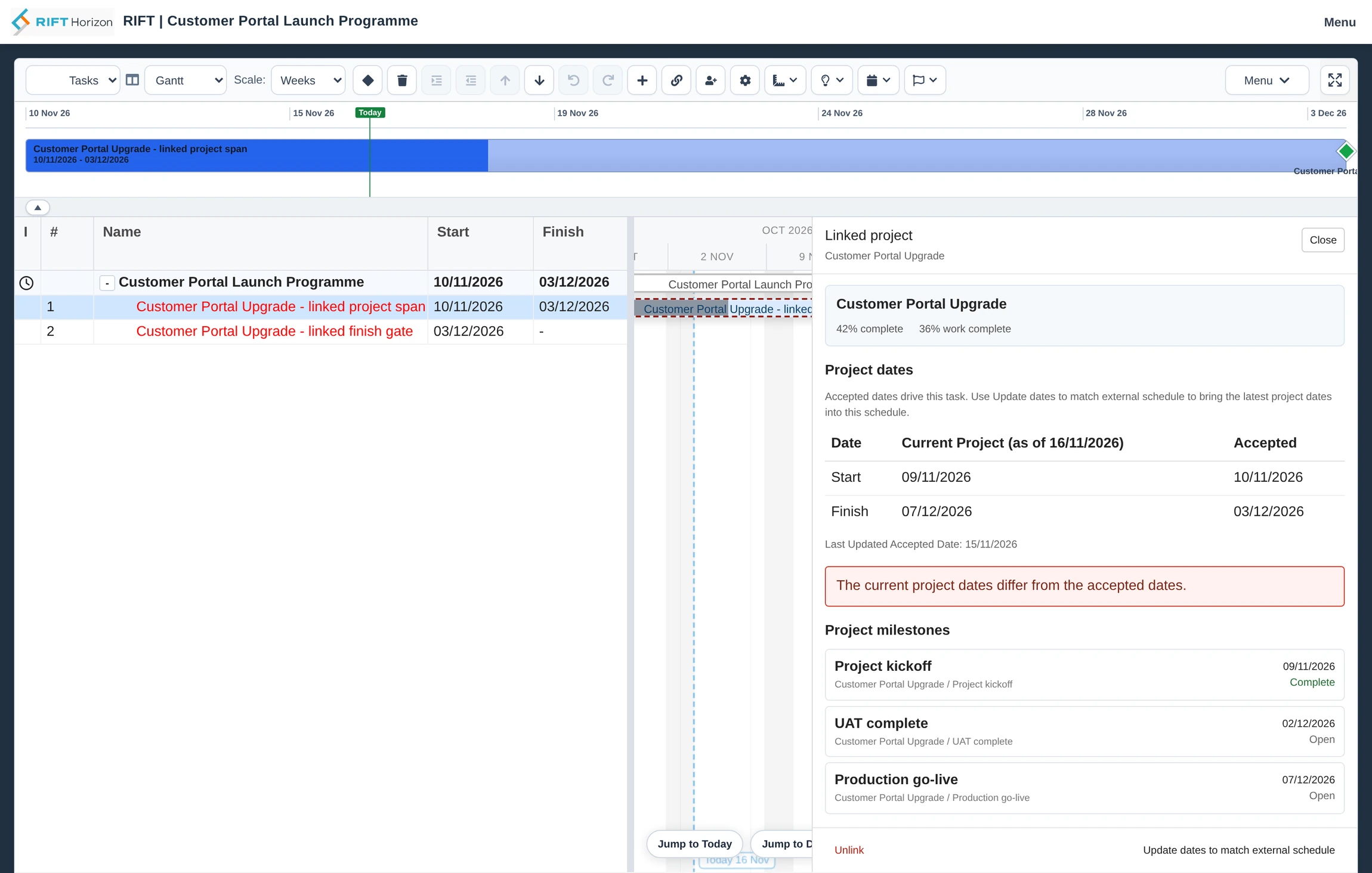
Create a Gantt plan with dependencies, phase gates and working calendars, starting from a template or a Microsoft Project XML file.
Compare the current plan with a baseline, model a different sequence and review earned value alongside the work.
See competing demand across schedules and find shared openings for the resources needed together.
Compare phases across schedules, review key work and bring approved timesheet hours into schedule actuals.
Tell us how you schedule projects, coordinate resources and manage delivery.