Horizon features
See how Horizon supports the work around a schedule, from asset bookings and project handovers to live planning decisions, portfolio reviews and approved time.
Integrated asset planning
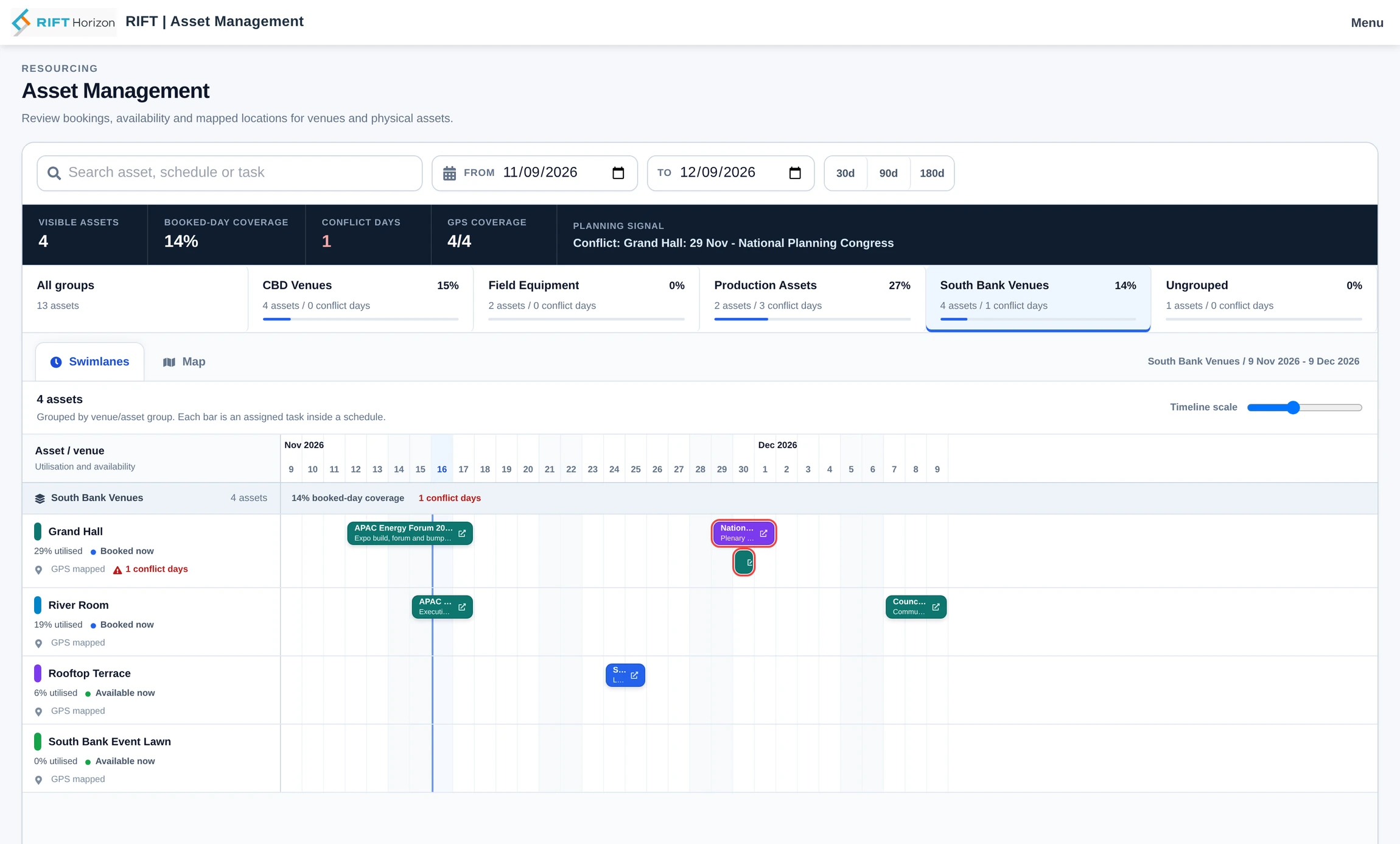
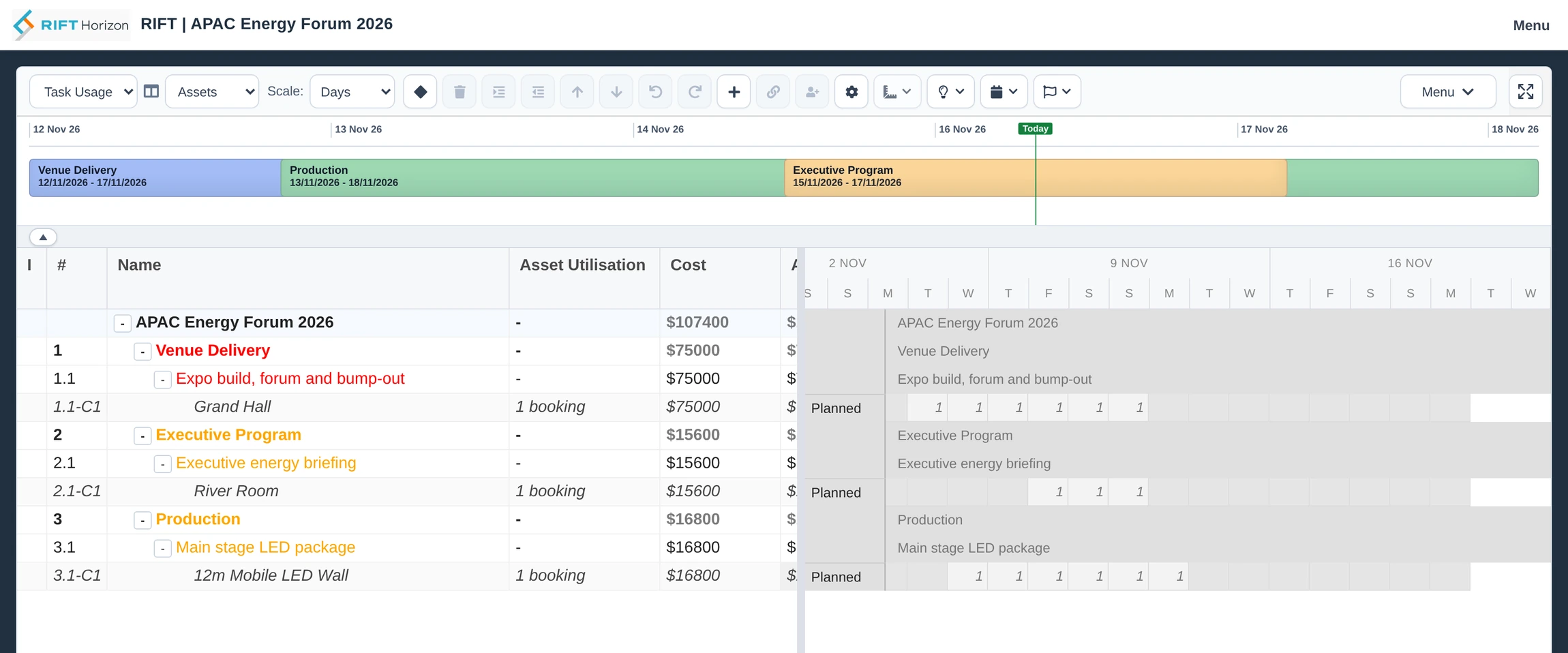
Book venues, plant and equipment as part of the schedule. A task reserves the asset for the dates it needs it, so availability, utilisation and cost stay tied to the work.
- Book individual assets or shared pools
- Reserve a venue for exclusive use, allocate units from a pool or plan machinery by working time. Set an availability calendar, dated capacity and rates for maintenance windows or seasonal changes.
- Match the booking to the work
- Reserve an asset for a whole phase or just the dates when its activities need it. Apply charges by day, hour or unit as appropriate and see utilisation and cost in the plan.
- See bookings across projects
- Use Asset Management to view availability, utilisation and overlaps by group. Open the task behind a booking, and find venues or equipment on a map using their recorded locations.
Manage dependencies between projects
Keep separate schedules connected when one project must finish before another can proceed.
- Link a handover or a project span
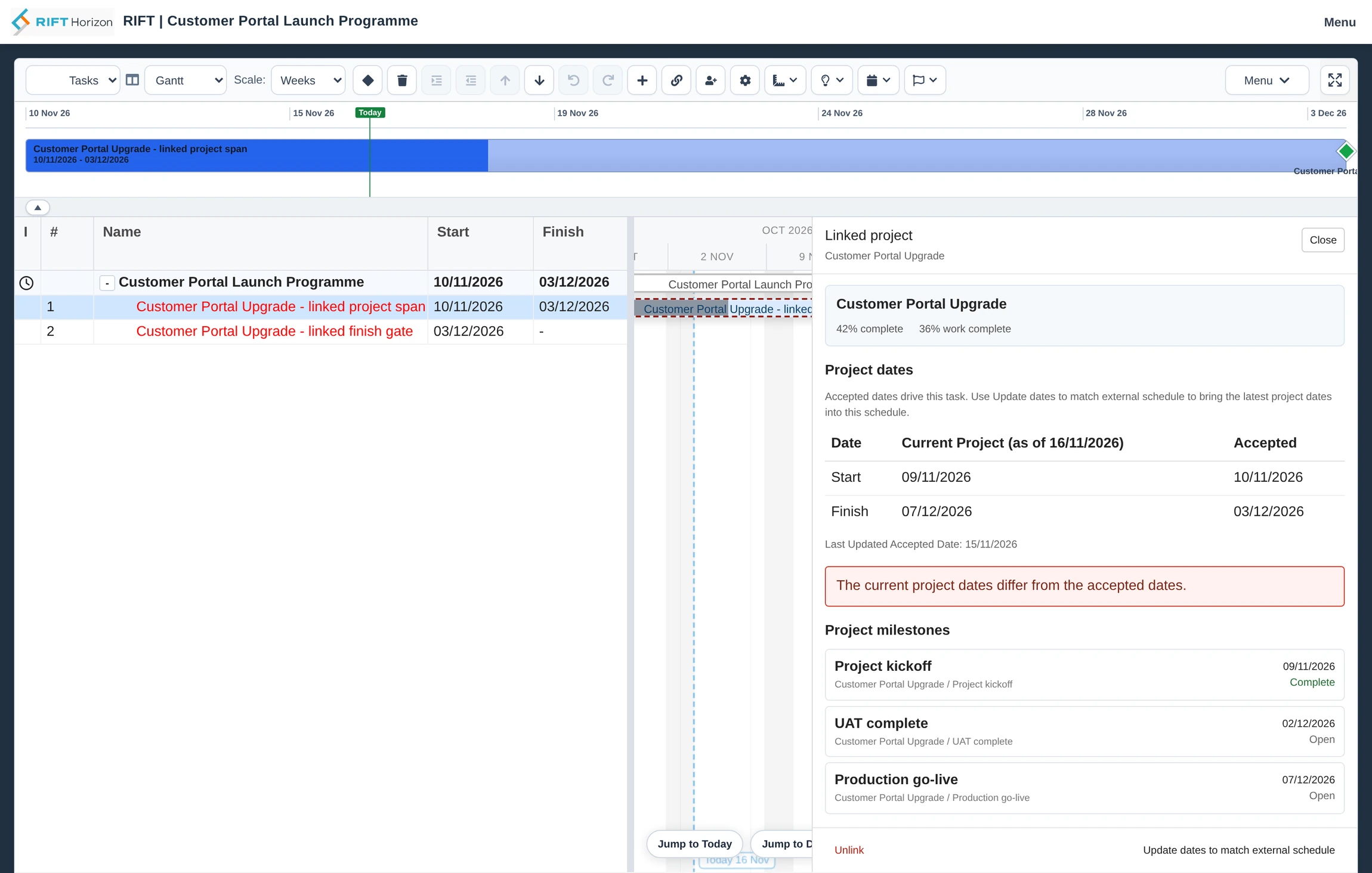
- Use another project's finish to drive a milestone, or use its accepted start and finish dates for a linked task. Connect follow-on work to that milestone or task.
- Inspect the linked project in context
- See its progress and milestones, and compare current dates with the dates your schedule is using. Schedule health checks bring changes or stale links to your attention.
- Choose when to adopt new dates
- Review the change and update the link when you are ready, so you control when the revised dates affect downstream work.
Build and maintain the schedule
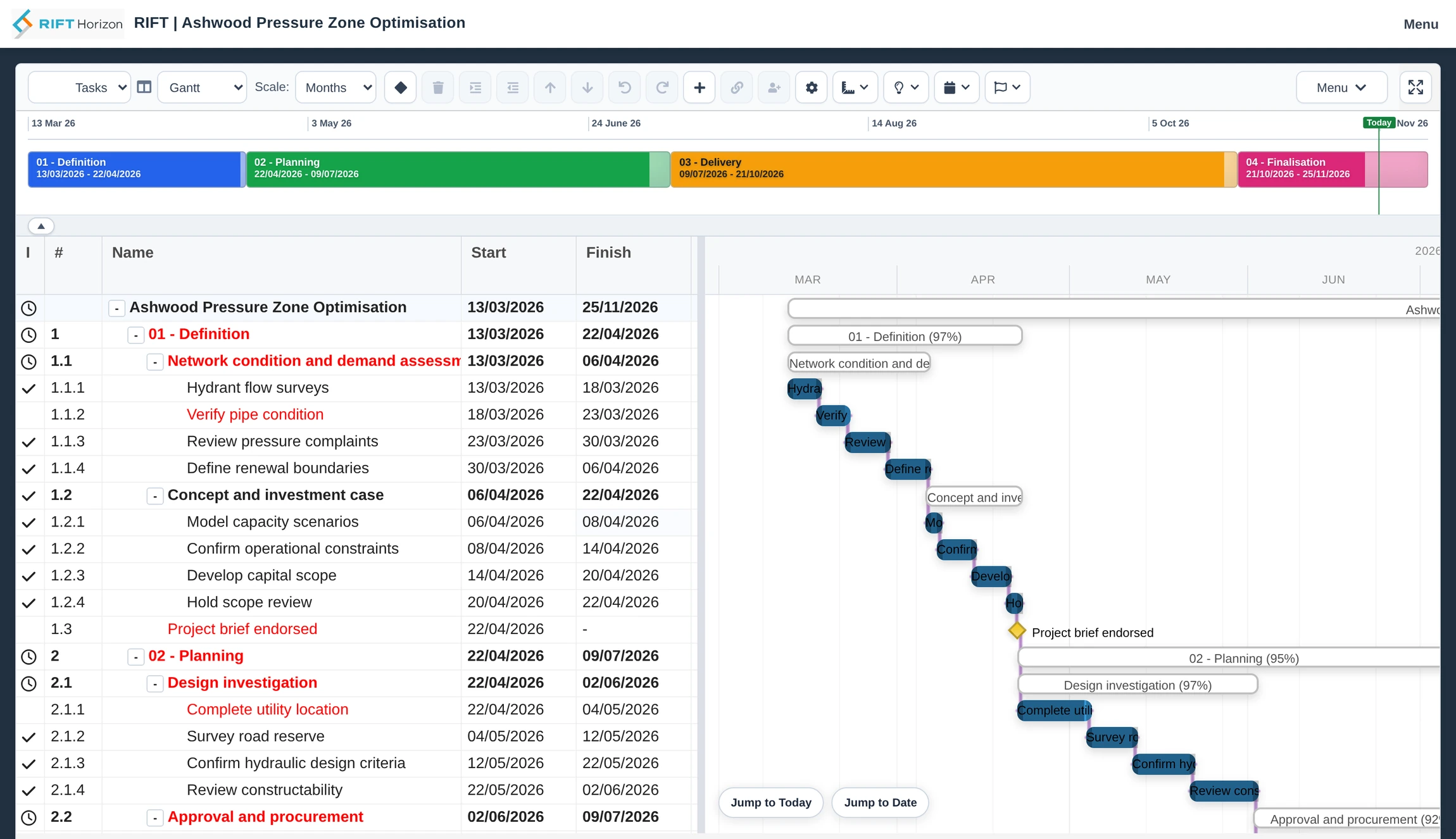
Manage a whole phase at a glance and drill down to the tasks, milestones and assignments that make it up.
- Interactive Gantt and phase timeline
- Structure projects and work packages, link dependencies, set lead or lag, and mark phase gates and handovers. Add notes, measurements or highlights directly to the timeline.
- Calendars and constraints
- Schedule against shared working calendars and exceptions. Use constraints to capture commitments and highlight conflicts as the plan changes.
- Templates and interchange
- Start from a schedule template or import Microsoft Project XML. Export schedule data and selected work, cost and assignment detail to Excel.
Investigate delivery risks inside the plan
See which task or assignment needs attention, understand the issue and make the next scheduling decision in the same workspace.
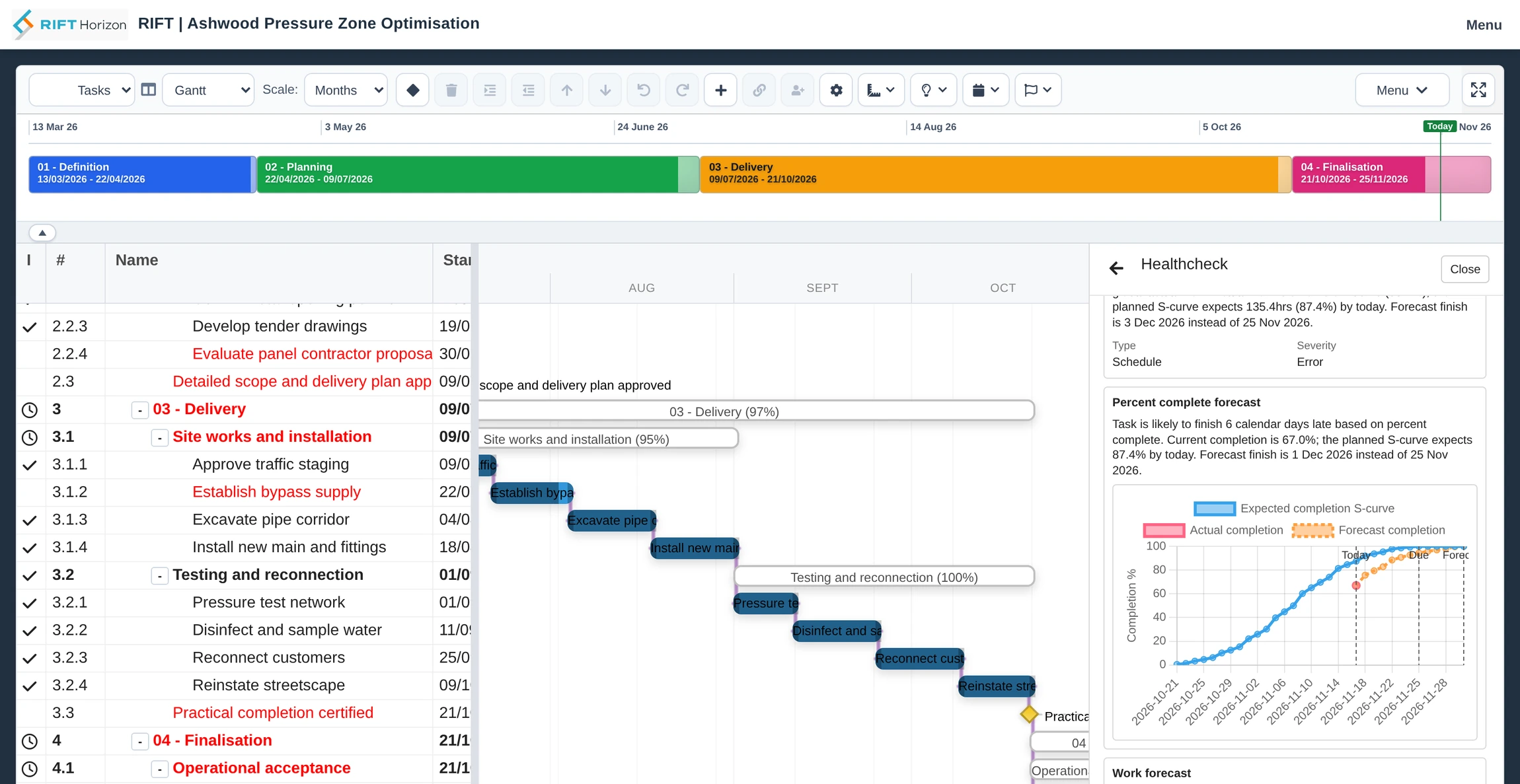
- Health checks on the work
- See overdue work, deadline breaches, problems with links or calendars, and resource over-allocation flagged where they occur.
- Forecast finish dates
- Compare reported progress or actual work with the planned trajectory. Open the forecast to see why a task may miss its finish date.
- Get to the cause
- Inspect the relevant constraints, bookings or assignments. For eligible resource conflicts, review suggested changes before applying them.
Compare the plan, test changes and track results
Keep a record of the plan you agreed to, explore alternatives and track how delivery is performing.
- Baselines and task history
- Compare current dates, work and cost with baseline values. Follow task progress over time to see how delivery moved away from the plan.
- What If mode
- Try a different sequence or allocation, see how dependent work moves and merge selected changes back into the working schedule.
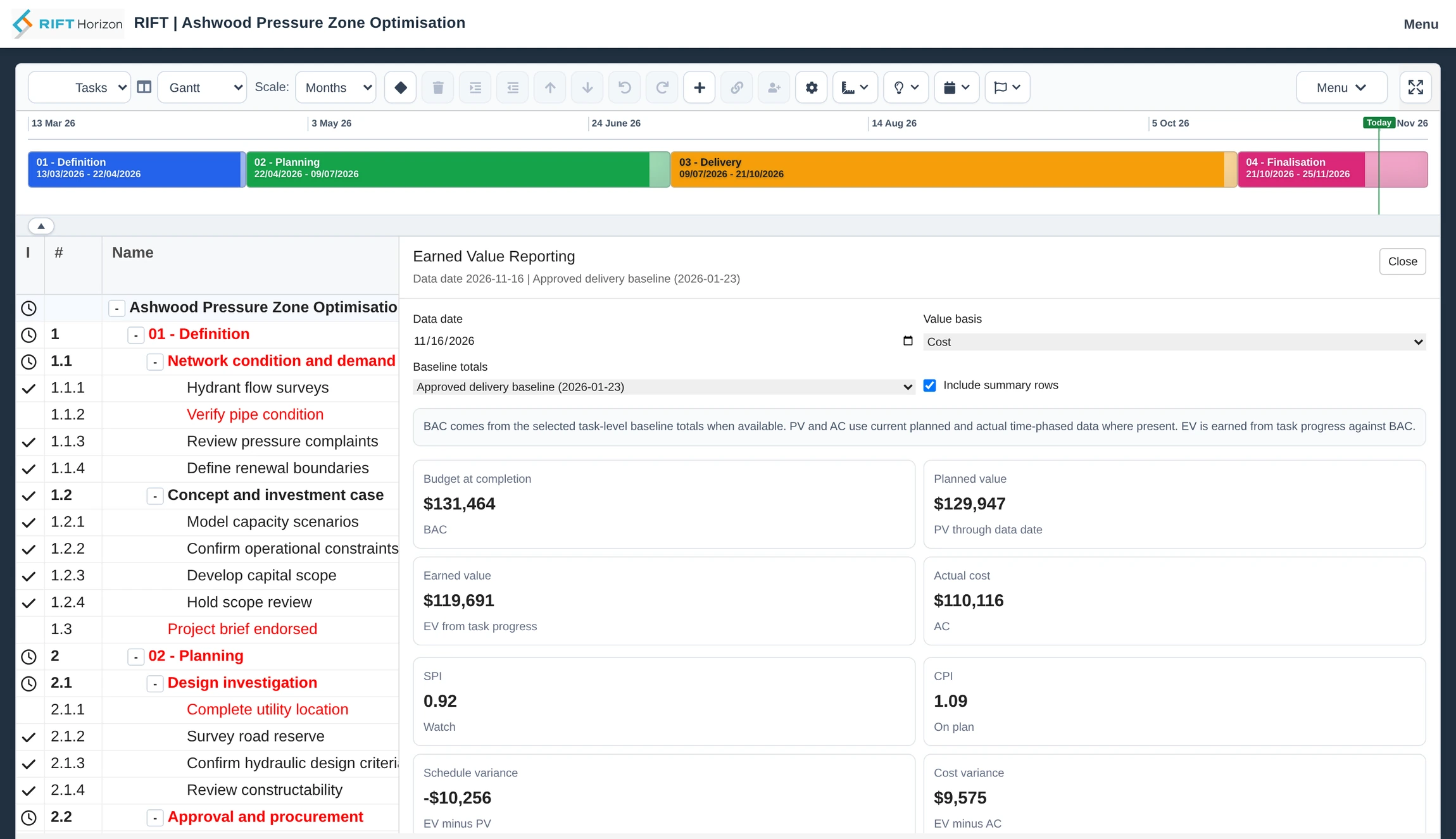
- Planned versus actual
- Review hours and cost by period in Task Usage. Use earned value and variance at a chosen reporting date to understand how the project is performing.
Find the capacity to do the work
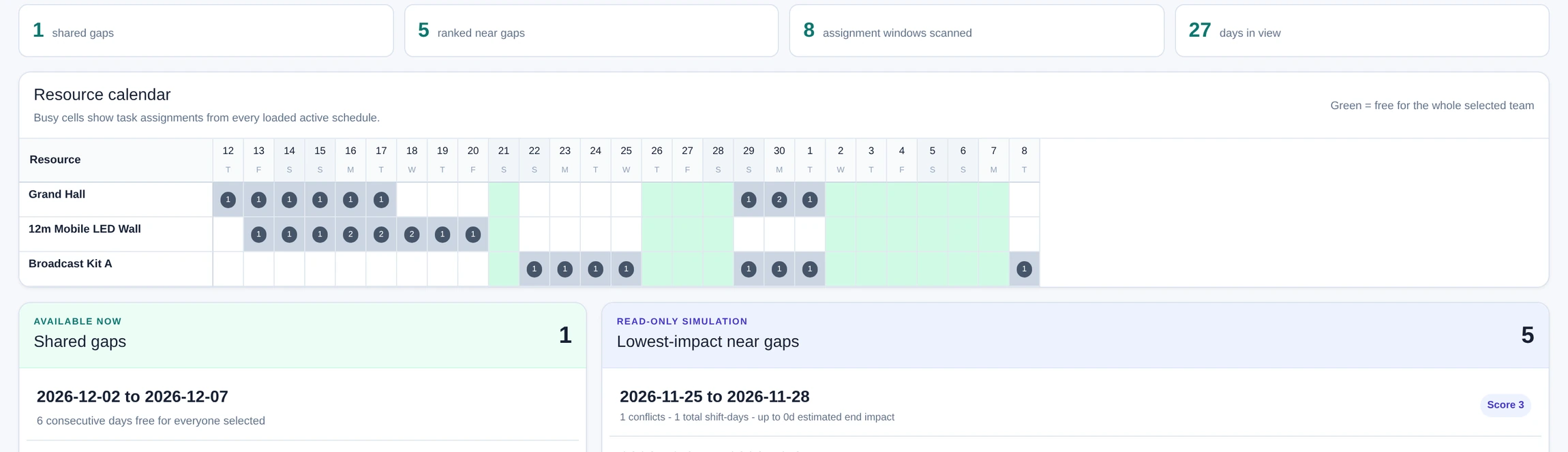
Plan with shared people and roles across schedules, and check whether the full team can be available at the same time.
- Resource capacity and availability
- Set capacity, rates and working time for people. See competing assignments and review planned and actual hours and cost across schedules.
- Gap Finder
- Choose the resources and number of consecutive days you need. Find times when they are all free, or review which shifts could open a near gap.
See patterns across projects
Review delivery across schedules and use completed or comparable work to improve the next plan.
- Cross-project delivery review
- Review key tasks, progress, milestones and planned versus actual work across schedules. Update task status from the shared review view.
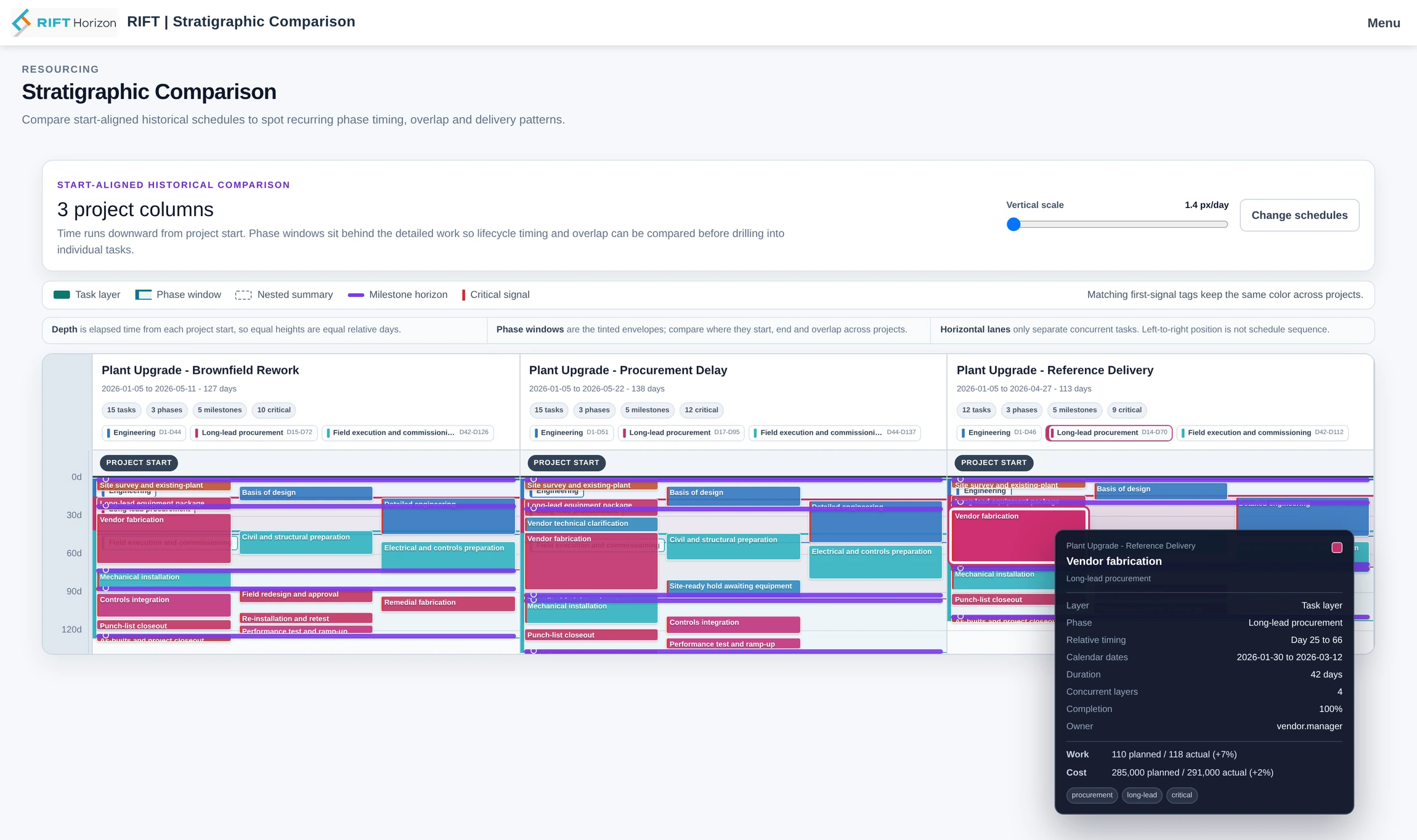
- Side-by-side schedule comparison
- Align projects at their start dates to see how phase durations, milestone timing and overlaps differ. Use previous project patterns to test assumptions about the next job.
- Issues, changes and task lists
- Track issues and changes across schedules. Use shared task lists for follow-up work and link them to relevant schedule tasks.
Keep delivery records and schedule changes under control
Connect work recorded by the team to the schedule and keep a record of the decisions that changed it.
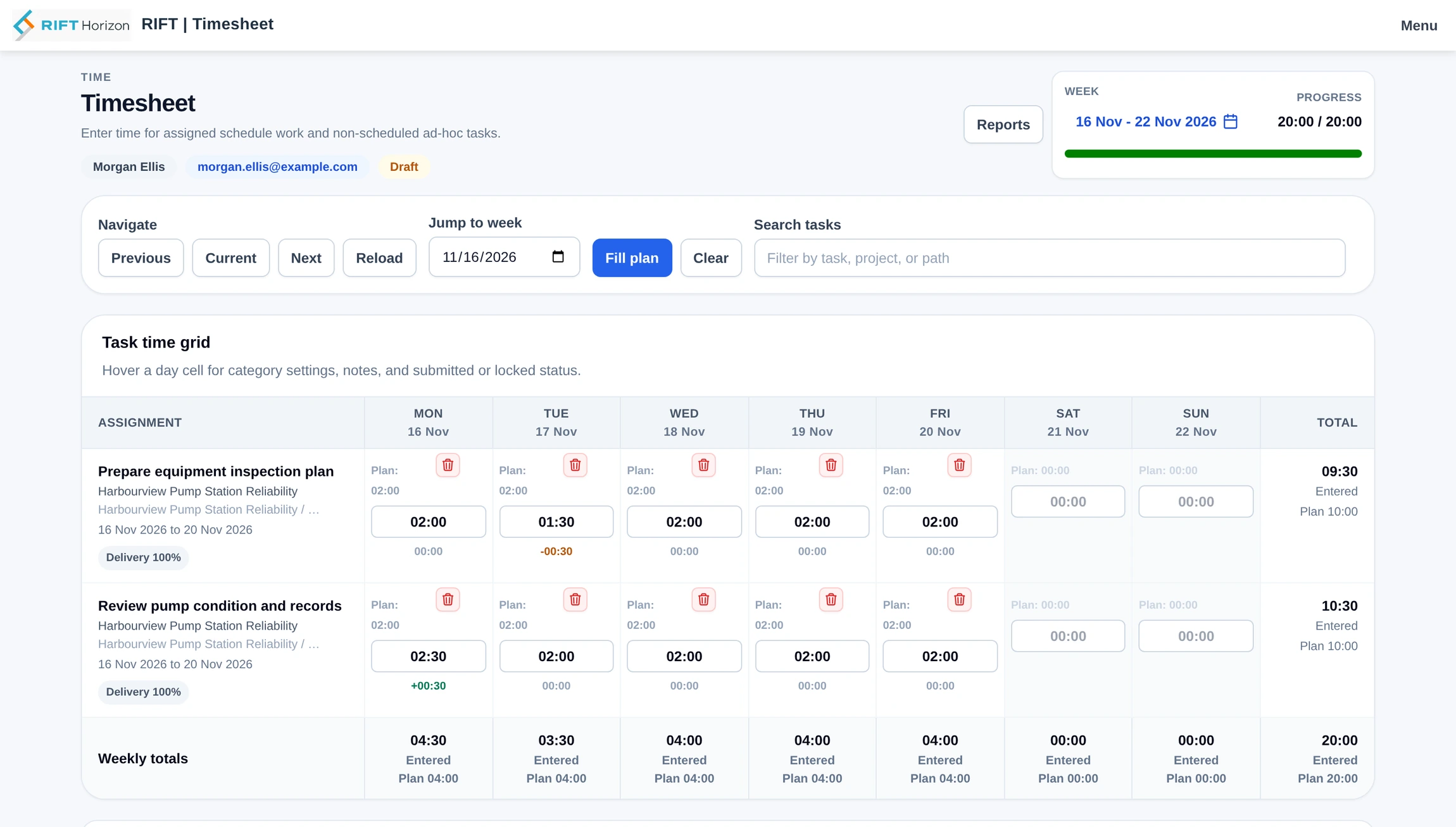
- Timesheets and approvals
- Record hours manually or with timers, route entries for approval and import approved time into schedule actuals.
- Shared schedules and version history
- Control who can access schedules, check them out for editing and use earlier versions to review changes.
- Common fields and planning standards
- Use enterprise fields, resources, templates and calendars to keep project information consistent across teams.
Talk with RIFT about Horizon
Tell us how you schedule projects, coordinate resources and manage delivery.